Open source · Local first

Your meetings become usable memory.

Kuali listens while you talk, transcribes every participant live on your computer, and turns the result into searchable decisions and tasks.

No Kuali cloud account Audio stays local Free and open source
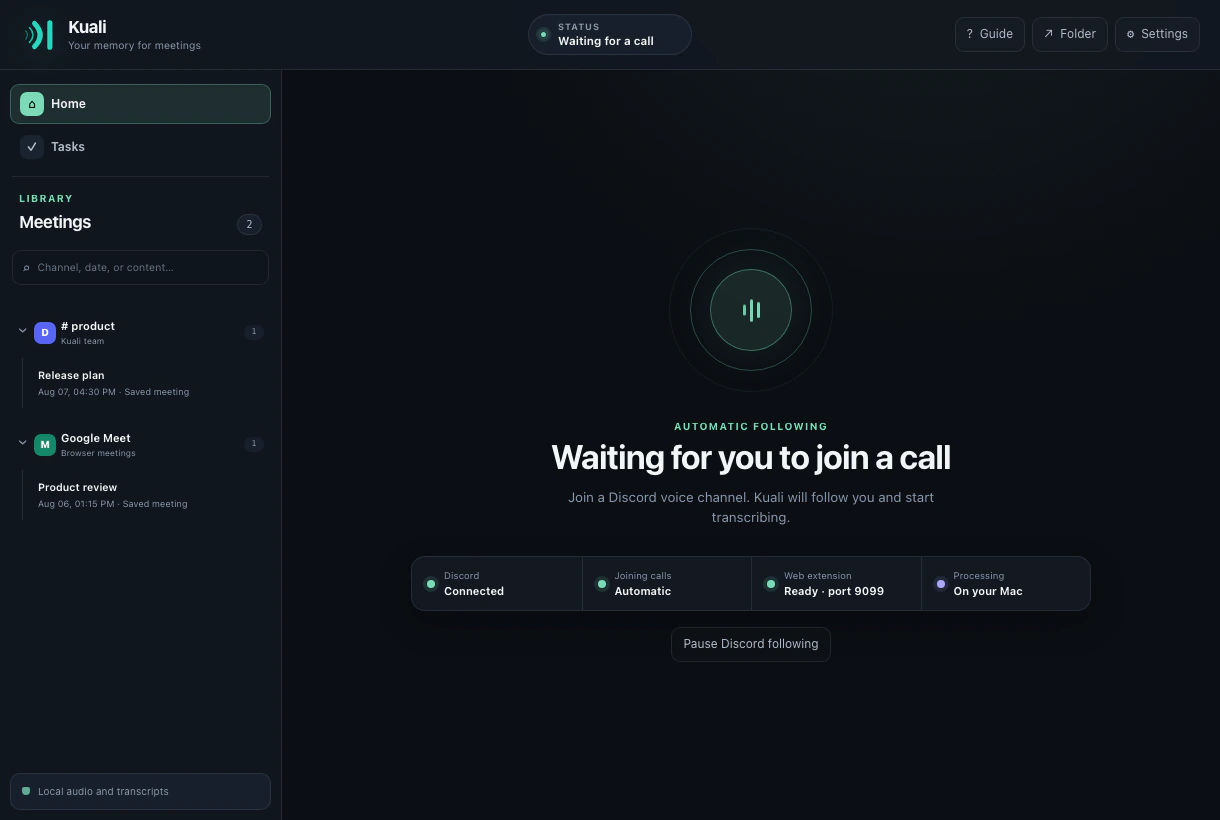
The real Kuali interface with its meeting library and Discord following ready
Real Kuali interface
One workspace for your calls
Discord Google Meet Microsoft Teams Zoom
What Kuali changes

Know who said what.
While it is still happening.

Kuali is more than a block of text after the call. It keeps speaker identity, live context, decisions, and ownership connected from the first word.

LIVE

Speaker-attributed live transcription

Watch the transcript grow during the meeting. Each intervention stays attached to the participant exposed by the platform.

Searchable meeting library

Find a phrase, channel, participant, or date and jump back into the exact context.

Whisper + Silero, locally

Whisper handles transcription. Silero keeps keyboard noise, bumps, and background hum away from the decoder.

OPTIONAL

Decisions and tasks people can own

When enabled, your chosen LLM extracts key points, open questions, decisions, and tasks by participant. Turn it off and no transcript is sent to an LLM.

Concurrent meetings

Record separate calls at the same time without mixing participants, clocks, or transcripts.

Completed-meeting webhooks

Let other tools subscribe to signed events containing the full meeting and generated insights.

A quieter workflow

Join. Talk. Find it later.

Connect once

Configure your Discord bot or load the included browser extension using the guided setup.

See the conversation live

Kuali separates participants, filters non-speech audio, and transcribes continuously.

Leave with useful output

Search the full transcript or review optional decisions, questions, and assigned tasks.

Your computer is the boundary

Everything Kuali creates lives on your PC.

Transcripts, meetings, tasks, settings, and logs are stored only on your computer. Kuali has no proprietary cloud and never synchronizes this data on its own.

Inside your computer
PCMAudioProcessed in memory and never retained as a recording.
TXTGenerated dataTranscripts, meetings, tasks, search, and logs stay local.
AILocal modelsWhisper and Silero run on your machine.
Only when you configure it
LLM
Summary providerReceives the transcript only when summaries and tasks are enabled.
WEB
WebhookReceives the completed meeting only through subscriptions you create.

Raw audio never leaves your computer through either path.

Start without guessing

Guides that show the actual buttons.

From installing Kuali to creating the Discord bot and loading the browser extension, every step is written for someone doing it for the first time.

Install Kuali

Two commands.
No mystery.

Terminal · macOS
$ brew install --cask igarrux/kuali/kuali
$ xattr -dr com.apple.quarantine /Applications/Kuali.app

Review both commands before running them. Requires macOS 11 or newer on Apple Silicon.

Questions, answered

Before you invite Kuali.

Does Kuali upload meeting audio?

No. Whisper and Silero process raw audio in memory on your computer. Kuali does not retain an audio recording or send it to a Kuali-operated service.

Can it tell speakers apart?

Yes. Kuali preserves participant identity when Discord or the browser meeting service exposes it. If a source provides mixed audio, Kuali labels it honestly instead of inventing attribution.

Do I need an external AI provider?

No. Transcription works locally without an LLM. Summaries and tasks are optional and remain off whenever you disable them in Settings.

Does Kuali announce that it is transcribing?

On Discord, Kuali plays and posts the consent notice when it joins and repeats it for people who arrive later. It also keeps an append-only consent audit log.

Is Kuali free?

Yes. The desktop application is open source under MIT. The interoperable browser extension is distributed under Apache-2.0.